 By Lauren Holland
Updated November 2026
A home backup battery power supply keeps your essentials running when the grid goes down, but only if it holds enough stored energy for what you need. In this guide, you will list the devices you want to keep running, calculate the watt-hours each one uses, add a safety margin, and arrive at a battery size that matches your outage plan. The whole process takes about 20 minutes with a pencil, a calculator, and the labels on your appliances.
Why Sizing Matters More Than Capacity Alone
Many shoppers start by asking how big a battery they can afford to buy. A better starting point is how long you need each device to run. A home backup battery power supply is measured in watt-hours (Wh), which is the amount of power it can deliver over time. A 1,000 Wh unit can run a 100-watt load for about 10 hours in theory, but real results are lower because of inverter losses and battery management limits. Sizing from your actual loads prevents two common problems: buying something too small to get through a night, or paying for capacity you never use.
Shopping for one? See our guide: 5 Best Battery Backups for Home Power Outage Picks for 2026.
Step 1: List the Devices You Need to Power
Start with the loads that matter during an outage. Most households focus on a short list:
- Refrigerator or chest freezer
- CPAP machine or other medical device
- Sump pump or well pump
- Router, modem, and phone charging
- LED lighting
- Window fan or small space heater, if you have the capacity to run one
Leave out large electric resistance heaters, electric dryers, and central air conditioners unless you plan a whole-home system. Those loads draw far more power than a typical portable unit can supply for long periods.
Step 2: Find the Wattage and Daily Energy Use of Each Device
Check the label or nameplate on each appliance. It usually lists watts (W) or amps and volts. If you only see amps, multiply amps by volts to get watts. For example, 1.2 amps at 120 volts is 144 watts.
Running wattage is not the whole story. Refrigerators and pumps have a startup surge that can be two to three times their running draw for a moment. Check the manufacturer’s specifications for surge rating, and make sure your inverter can handle it.
Next, estimate daily runtime. A fridge cycles on and off, so its average draw is much lower than its peak. Many owners use an energy monitor plug, such as a Kill A Watt-style meter, to measure actual daily kilowatt-hours over a day or two. This gives you far better numbers than guessing.
Quick Reference: Typical Loads
These are general ranges manufacturers and energy guides commonly list. Your own devices may differ, so measure when you can.
| Device | Typical running watts | Typical daily energy (approx.) |
|---|---|---|
| Refrigerator (efficient, modern) | 100 to 200 W while running | 1 to 2 kWh per day |
| CPAP machine | 30 to 60 W | 0.2 to 0.5 kWh per night |
| Sump pump (1/3 HP) | 700 to 900 W while running | Varies widely with water inflow |
| Wi-Fi router and modem | 10 to 20 W | 0.2 to 0.5 kWh per day |
| LED lights (five bulbs) | 30 to 50 W total | 0.2 to 0.4 kWh per day |
Step 3: Calculate Total Watt-Hours You Need
Use this formula for each device:
Daily Wh = Running watts × hours used per day
Then add all devices together. For a fridge running about 40 percent of the time, a 150-watt fridge uses roughly 1,440 Wh per day (150 × 24 × 0.4). Your daily total might look like this:
- Fridge: about 1,400 Wh per day
- CPAP for 8 hours at 40 W: 320 Wh
- LED lights for 5 hours at 40 W: 200 Wh
- Router and phone charging: about 200 Wh
- Sump pump: estimate 300 Wh per day based on your basement’s water history
That gives roughly 2,420 Wh per day for this example household.
Add a Real-World Efficiency Margin
Inverters, battery management, and cabling all lose some energy. A common planning assumption is to divide your usable watt-hours by about 0.85 or multiply your need by 1.2. Using the example above, 2,420 Wh × 1.2 is about 2,900 Wh for one full day with no sun. If you want two days of backup, you would be looking at roughly 5,800 Wh, which usually means stacking batteries or adding solar recharge.
Step 4: Decide How Many Hours or Days You Need
Most grid outages last a few hours, but storms can knock out power for several days. Decide on a planning target:
- Overnight, essentials only: Fridge, CPAP, lights, and phone charging for 12 hours
- One day, full essentials: Adds sump pump and router for 24 hours
- Multi-day: Requires solar input or a larger battery bank, plus a plan for generator fuel if needed
Keep in mind that a battery’s rated capacity is not fully usable every time. Many lithium-based systems list a cycle life and recommend not draining to zero, so treat the printed Wh figure as a ceiling.
Step 5: Match the Power Output to Your Biggest Load
Capacity tells you how long the system runs. Power output (watts) tells you what you can run at the same time. Add up the running watts of devices you might use together. If your fridge (150 W), CPAP (50 W), and router (15 W) run at once, you need at least 215 W of continuous output. Then make sure the unit’s surge rating covers the largest motor you plan to start, such as a sump pump.
Step 6: Plan How to Recharge
A battery without a recharge plan is only good for one outage. Options include:
- Wall charging from the grid when power returns
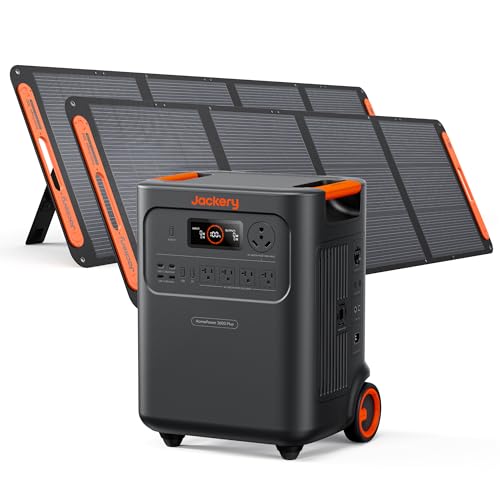
- Solar panels sized to replenish your daily use
- A vehicle charging adapter for emergency top-ups, where the manufacturer supports it
- A gas or dual-fuel generator for extended outages, used outdoors only
Recommended gear
These items help you measure and connect a home backup battery power supply safely.
- Kill A Watt P3 Electricity Usage Monitor: Measures actual watts and daily kilowatt-hours at the outlet, so you can replace guesses with real numbers. View on Amazon
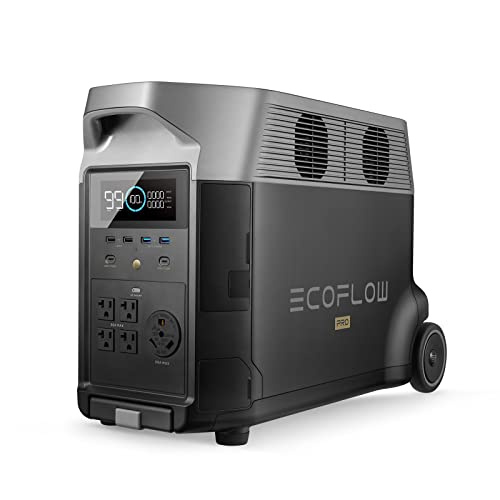
- EcoFlow DELTA 2 Portable Power Station: A common example of a portable battery unit with multiple AC outlets, useful for comparing capacity and output ratings. View on Amazon
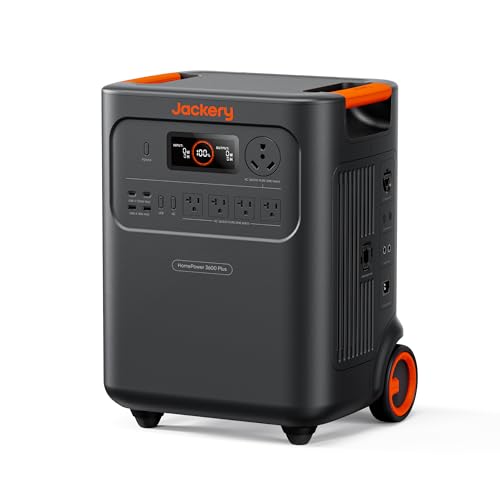
- Jackery Explorer 1000 v2 Portable Power Station: Another widely sold portable battery option with a published watt-hour rating for side-by-side comparison. View on Amazon
Common Mistakes
- Using nameplate wattage as daily energy, which overstates or understates real use
- Forgetting startup surge from motors and compressors
- Ignoring inverter and conversion losses
- Planning for only one outage night with no recharge option
- Plugging a fridge into a unit that cannot sustain its continuous draw for hours
- Storing batteries in very hot or freezing spaces, which shortens their life
Tips for Better Results
- Measure your fridge for 24 hours with an energy monitor before buying
- Keep a written list of must-run devices on the fridge door
- Test the system once a season by running it for a few hours
- Check your unit’s manual for recommended charge levels during storage
For a broader look at how these pieces fit together, see Home Backup Power Systems: A Step-by-Step Guide to Sizing for Outages (2026) and Best Backup Power Supply for Home: 6 Factors to Size It Right (2026). If you are comparing specific brands, Jackery vs Anker Power Station: Which Fits Your Home Backup Needs? walks through trade-offs in capacity and outlets.
FAQ
How many watt-hours do I need to run a refrigerator overnight?
A modern efficient refrigerator often uses about 1 to 2 kWh per day, so an overnight outage of 8 to 10 hours may need roughly 500 to 900 Wh, depending on how often the compressor cycles. Measure your own fridge to confirm.
Can a home backup battery power supply run a CPAP machine?
Yes, most CPAP machines draw 30 to 60 watts, so a moderately sized battery can run one for a full night. If you rely on a CPAP, consult your sleep physician or equipment provider about backup plans and battery runtime for your specific model.
Will a battery backup run a sump pump?
It can, but sump pumps have high startup surges and their runtime depends on water inflow. Confirm that the inverter’s surge rating covers the pump’s locked-rotor current, and consult a licensed electrician before wiring a pump to a backup system.
What is the difference between watts and watt-hours?
Watts measure how much power a device draws at one moment. Watt-hours measure total energy over time. A battery’s watt-hour rating tells you how long it can supply a given wattage.
How long does a home backup battery last during an outage?
Runtime equals usable watt-hours divided by the average load in watts, adjusted for efficiency losses. A 2,000 Wh battery powering a 200 W average load would last roughly 8 to 9 hours in practice.
Do I need solar panels with a home backup battery?
Solar is not required for short outages, but it extends runtime for multi-day events and reduces reliance on grid recharging. Plan panel size based on your daily watt-hour use and local sun hours.
Can I plug a home backup battery into a wall outlet to charge it?
Most portable units charge from a standard outlet, but check the manufacturer’s maximum input rating and use only the supplied or approved charger and cables.
Conclusion
Sizing a home backup battery power supply comes down to listing your essential loads, measuring their daily watt-hours, and adding a margin for losses. Decide how many hours or days you want covered, check that the output can handle your largest starting load, and plan how you will recharge. A few minutes of measurement now will save you from an unpleasant surprise during the next outage.
Related reading
- Jackery Portable Power Supply: How to Size One for Home Backup (2026)
- Home Battery Power Backup: 5 Best Picks for Outages in 2026
- 3 Best Home Battery Backup Power Picks for Outages (2026)
- Whole-Home Backup Power Solution: How to Size One for Outages (2026)
Ready to choose one?
About Lauren Holland
Lauren Holland is part of our editorial team and reviews and edits our solar generators for home backup & emergencies guides, checking product details against manufacturer specifications and owner feedback.