 By Emily Parker
Updated November 2026
The ecoflow powerinsight 2 monitor is an energy monitoring accessory listed for EcoFlow DELTA Pro 3 and DELTA Pro Ultra owners who want to see where their stored power goes during an outage or a normal day. It is best suited to people who already own or plan to buy a compatible power station and want more visibility into load, charging and battery status than the station’s own display provides. It is less useful for anyone who runs a single small appliance, has no interest in tracking usage, or is shopping for a standalone generator. Before buying, confirm the listing matches your exact power station model, since accessories in this category are often tied to specific hardware.

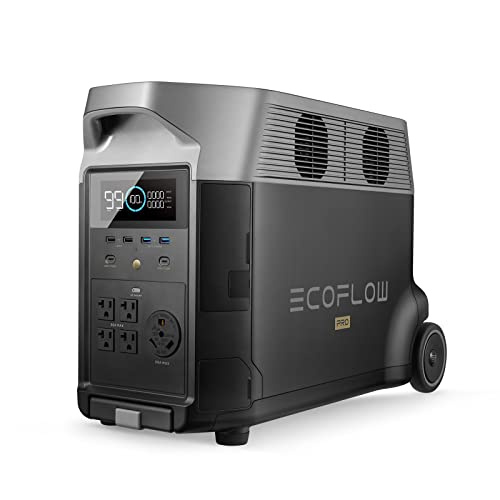
EcoFlow PowerInsight Home Energy Manager, Monitor for DELTA Pro 3, DELTA Pro Ultra
Product Overview
The PowerInsight name points to a monitoring role rather than a power source. The device does not store or produce electricity. Instead, it reads and displays information about the energy flowing through a compatible EcoFlow system, which is useful when you are trying to answer practical questions such as how many watt-hours your refrigerator uses overnight, whether a sump pump cycle will drain the battery faster than expected, or how long a CPAP can run on a given charge.
The listing is titled as a home energy manager and monitor for the DELTA Pro 3 and DELTA Pro Ultra. That positions it within EcoFlow’s larger home backup ecosystem, where a station provides the stored energy and accessories add control, monitoring and integration. If you are new to this kind of setup, it helps to understand the basic sizing math first. A useful starting point is our guide on How Long Does EcoFlow Battery Last? Lifespan, Cycles and Care (2026), which explains how cycle counts and depth of discharge affect how long your battery remains useful.
Monitoring hardware matters most when your loads are variable. A refrigerator cycles on and off, a well pump starts in bursts, and a CPAP draws a steady but modest amount through the night. Without a clear view of these patterns, most owners end up guessing. A monitor turns those guesses into readings you can compare against your battery capacity, which is the core reason to consider this type of accessory at all.
Key Features & Specifications
The table below lists only the points that are safe to state based on the product name and the general category. Confirm exact figures, connectivity options and firmware requirements in the current Amazon listing and the manufacturer’s documentation before purchase, as specifications for accessories can change between revisions.
| Feature | What It Means for Home Backup |
|---|---|
| Intended compatibility | Listed for DELTA Pro 3 and DELTA Pro Ultra; check model match before ordering |
| Function | Energy monitoring and home energy management display |
| Primary use | Tracking consumption and charging activity over time |
| Typical use case | Watching loads such as refrigerators, CPAP machines and sump pumps during outages |
| Power source | Operates as a companion to the station; it does not add storage capacity |
Because the device is positioned as an accessory, its main value is information. It will not extend runtime on its own. Pair it with a clear plan for your loads, and use the readings to adjust usage rather than assuming the monitor will solve capacity problems.
Pros & Cons
Pros
- Gives visibility into how stored energy is being used, which helps with planning for multi-day outages.
- Useful for identifying unexpected drains, such as a fridge that cycles more often than expected in warm weather.
- Designed as a companion to a specific station line, so it fits into an existing EcoFlow setup without a separate system.
- Helpful for households that depend on medical devices and need to estimate how long a battery will last overnight.
- Supports better decisions about which appliances to run during an outage and which to switch off.
Cons
- Adds cost and complexity for owners who only need basic backup and never check usage data.
- Compatibility is limited to specific models, so it may not work with other EcoFlow stations or older hardware.
- A monitor cannot increase battery capacity, so it does not replace proper sizing.
- Owners who are not comfortable reading energy data may find the information more confusing than helpful without some learning time.
- Detailed readings depend on the station and app ecosystem, so it works best as part of a fully connected setup.
Performance Analysis
Performance for a monitoring accessory is measured by accuracy, responsiveness and how well the data helps you act. Based on the product category and common owner feedback patterns for EcoFlow’s monitoring tools, the most consistent praise centers on the value of seeing real consumption rather than estimated figures. Owners of backup systems often report that their first estimates of appliance draw were off, sometimes by a wide margin, and that a monitor corrected those assumptions quickly.
A common practical example illustrates the point. Suppose you have a standard refrigerator that draws an average of roughly one to two kilowatt-hours per day, depending on age, ambient temperature and how often the door opens. During an outage, that number determines whether your station can hold the fridge overnight alongside a CPAP. Without monitoring, you might assume the fridge uses far less than it does, then discover mid-outage that the battery is lower than planned. With monitoring, you can see the actual draw across a full cycle and plan accordingly.
Owner feedback for monitoring tools also tends to flag the same limitations. Readings are only as good as the connected hardware and the setup. If the station is not properly paired, or if a circuit includes loads that are not measured, the picture will be incomplete. Many owners recommend a short observation period under normal conditions before relying on the data during an emergency, so you can learn the typical patterns and spot anomalies.
Keep expectations realistic about what monitoring can and cannot do. It can show you that a sump pump runs for eight minutes every hour during heavy rain, and that information is valuable. It cannot make that pump use less energy or extend your station’s runtime beyond its rated capacity. Think of the monitor as a planning tool that sharpens decisions, not as a source of power.
Who Should Buy This Product?
This accessory makes the most sense for specific types of owners. If you already have a compatible DELTA Pro 3 or DELTA Pro Ultra, you have a station capable of sustained backup, and you want to understand your household’s actual energy use, it is a logical addition. It is also well suited to people who manage medical equipment during outages and need reliable estimates of runtime, or to homeowners with a sump pump or well pump who want to understand how often those loads cycle during storms.
It is less suitable for people who are buying their first backup system and have not yet decided on a station. In that case, choosing the right power station first will matter more than any accessory. It also makes little sense for owners of other EcoFlow models, or for anyone whose backup needs are limited to charging phones and running a small lamp. If your goal is simply to keep a few devices running for a few hours, a monitor adds more than you need.
If you are still deciding between platforms, our comparison of Which Is Better EcoFlow or Jackery? Home Backup Comparison (2026) covers how different ecosystems handle monitoring and accessories, which can affect whether an add-on like this is worth it for you.
Buying Guide
Start by confirming compatibility. The most important step is matching the monitor to your exact station model. Check the listing for DELTA Pro 3 or DELTA Pro Ultra, and verify with the manufacturer if you own a different model. Buying a monitor that does not pair with your hardware wastes money and time.
Next, decide what you need to measure. If your priority is overnight medical equipment, focus on how the monitor reports standby and running draw. If your priority is well pump or sump pump behavior, look for clear displays of short, high-current cycles. Think about the questions you want to answer before you buy, then check whether the product description addresses them.
Consider your home’s size and load profile. A household with a single refrigerator and a CPAP has different needs from a home with an electric well pump, a freezer, a window air conditioner and several electronics. Larger, more complex loads benefit more from monitoring because the variation is greater and the planning stakes are higher.
Plan to test the setup before an outage. Pair the monitor, run normal loads for a day or two, and learn how the readings behave. This gives you a baseline and helps you catch configuration issues before they matter.
If you decide a monitor is not necessary, other approaches can still give you useful data. Standalone plug-in watt meters can measure individual appliances, though they will not show whole-home or station-level activity. For a broader comparison of home backup options, see Top 5 EcoFlow Home Battery Backup Systems Compared for Outages (2026), which looks at how different systems fit different household sizes.
Several well-known alternatives are worth considering depending on your setup. Compare them based on compatibility with your existing hardware and how much monitoring detail you actually need.
is the item reviewed here, and it remains the most direct choice for owners of the listed DELTA Pro models. View on Amazon
For a broader power station with its own display and monitoring, the Jackery Explorer series is a commonly recommended option. Its built-in readouts may be sufficient for owners who do not need a separate accessory. View on Amazon
For owners who want a different ecosystem with its own app-based monitoring, the Bluetti AC200 line is a frequently mentioned alternative. View on Amazon
FAQ
Does the ecoflow powerinsight 2 monitor add battery capacity?
No. The monitor reads and displays information about energy use and charging. It does not store power or extend runtime. Your station’s capacity is the limiting factor.
Is it compatible with every EcoFlow power station?
The listing names the DELTA Pro 3 and DELTA Pro Ultra. Do not assume compatibility with other models. Confirm with the manufacturer or the listing before buying.
Can it help me size a backup system?
It can help you understand real consumption, which is a key input for sizing. Combine the readings with your appliance wattage ratings and expected outage length to make a sound estimate.
Will it show me how much a refrigerator uses?
Monitoring can show your refrigerator’s draw as part of total consumption, depending on how the loads are connected. For precise appliance-level data, a plug-in meter may give more granular results.
How long should I observe my loads before relying on the data?
Many owners suggest at least a day or two of normal use to establish patterns. Longer observation helps capture cycles such as refrigerator defrost and pump starts.
Does it help with CPAP planning?
It can help you see the overnight draw of a CPAP alongside other loads. Medical equipment decisions should be made with your physician or equipment supplier, who can confirm the device’s actual power requirements.
Should I replace my station’s built-in display with this monitor?
Not necessarily. The monitor complements the station rather than replacing it. Consider what additional detail you need before deciding whether the accessory adds enough value.
Final Verdict
The ecoflow powerinsight 2 monitor is a sensible accessory for owners of compatible DELTA Pro 3 and DELTA Pro Ultra stations who want clearer insight into how their backup energy is used. Its value lies in information, not added capacity, so it works best when paired with careful sizing and a short observation period before an emergency. Owners with other hardware, or those who only need basic backup, will likely find it unnecessary. Confirm compatibility, review your load profile, and decide whether the extra visibility justifies the purchase for your household. View on Amazon
Related reading
- Zero Breeze Mark 3 vs EcoFlow Wave 3: Which Portable AC Fits Your Home Backup?
- Where Is Ecoflow Made: A Practical Guide (2026)
- Where Is EcoFlow Based? Headquarters, Manufacturing and What It Means for You
- Use EcoFlow as UPS: Setup Steps for Home Backup Power
- Top 6 EcoFlow Plug and Play Solar Options Compared for Home Backup
About Emily Parker
Emily Parker is part of our editorial team and reviews and edits our solar generators for home backup & emergencies guides, checking product details against manufacturer specifications and owner feedback.