 By Lauren Holland
Updated November 2026
A whole-home backup power solution keeps the lights, refrigerator, sump pump, Wi-Fi router and medical devices running when the grid goes down. This guide walks you through estimating how much energy your household actually uses during an outage, choosing between a portable power station and a permanently installed system, and connecting everything safely. By the end, you will have a rough watt-hour target and a shortlist of configurations that match your home.
Step 1: Decide What “Whole-Home” Means for Your House
Before you compare hardware, decide what you need to keep running. Most homeowners fall into one of three groups. Some want essentials only, such as a few lights, the refrigerator, internet and phones. Others want critical loads, which adds a sump pump, a well pump, a furnace blower or a medical device. A few want true whole-home coverage, meaning everything including central air conditioning, an electric range and an electric water heater.
Shopping for one? See our guide: 8 Best EcoFlow Delta Pro Ultra Whole-Home Backup Power Picks (2026).
The difference is large. Essentials might draw 1 to 2 kWh per day. Full whole-home coverage in a typical US house can exceed 30 kWh per day, and central air alone can pull several kilowatts while running. Write down the loads you truly need in the first outage, then decide whether the rest can wait.
Common loads and typical ranges
| Appliance | Typical running draw | Notes |
|---|---|---|
| LED lighting (whole house) | 50 to 150 W | Depends on fixture count |
| Refrigerator (modern, ENERGY STAR) | 100 to 200 W running, 600 to 1,500 W startup | Compressor cycles, so average use is lower |
| CPAP machine | 30 to 60 W | Often run 6 to 8 hours overnight |
| Sump pump (1/3 HP) | 400 to 800 W running | High startup surge |
| Wi-Fi router and modem | 10 to 30 W | Runs continuously |
| Window AC unit | 500 to 1,500 W | Cycles on and off |
| Central AC (3-ton) | 3,000 to 3,500 W | Needs a large inverter and surge capacity |
| Electric range (one element) | 1,000 to 2,500 W | Often impractical on small systems |
Values vary by model and age. Check the nameplate or manufacturer specifications for your own equipment. A licensed electrician can help confirm loads if you are planning a permanent installation.
Step 2: Calculate Your Daily Watt-Hour Requirement
Energy is power multiplied by time. For each load, multiply its running wattage by the hours you expect it to run per day, then add the results. A simple example for an essentials setup: A related read: 6 Best 10 kW Off-Grid Solar Systems for Whole-Home Backup (2026).
- LED lights: 100 W × 5 hours = 500 Wh
- Refrigerator: 150 W average × 8 hours (duty cycle) = 1,200 Wh
- CPAP: 45 W × 8 hours = 360 Wh
- Router and modem: 20 W × 24 hours = 480 Wh
- Phone and laptop charging: about 300 Wh
That totals roughly 2,840 Wh per day. Power stations lose some energy through inverter conversion, typically between 10 and 20 percent, so a practical target is about 3,000 to 3,400 Wh of usable capacity to cover that day.
Account for surge loads
Motors and compressors draw a startup surge several times their running wattage. A sump pump rated at 800 running watts may need 2,000 watts or more for a moment. Your inverter’s surge rating, not just its continuous rating, has to cover the highest combined startup you expect. Keep the largest motor running with the rest of your critical loads in mind when you pick a unit.
Step 3: Choose the Right Type of Backup System
There are three main approaches, and each suits a different budget and house.
Portable power stations
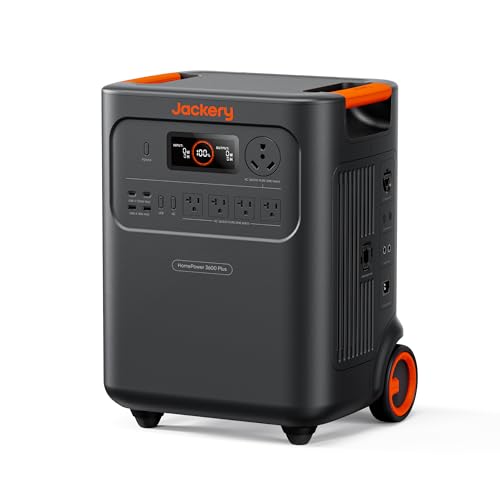
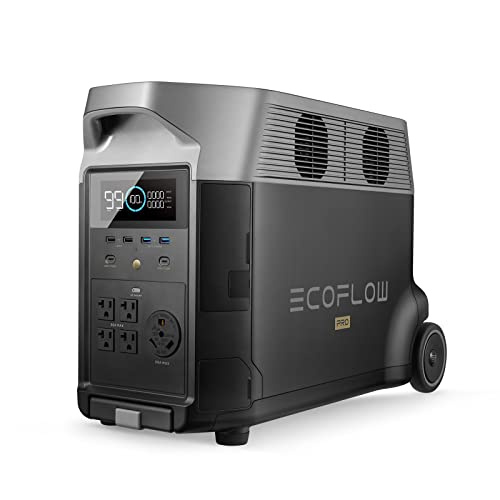
A portable power station is a battery with built-in inverter outlets. It works well for essentials, medical devices and phone charging, and you can move it between rooms. Many of the models covered elsewhere on this site, including the EcoFlow Delta Pro Ultra line, are designed to scale up with extra batteries. For a full-house approach using portable units, you typically need a transfer method, such as a generator inlet or a dedicated interlock kit, rather than running extension cords through windows.
For a detailed look at how these units compare, see Home Backup Power Systems: A Step-by-Step Guide to Sizing for Outages (2026) and 7 Best Portable Power Stations for Home Backup in 2026.
Whole-home battery systems with automatic transfer
A permanently installed battery system connects to your main panel and switches over automatically when the grid fails. It can handle a larger load than most portable units and feeds circuits directly, so there are no cords. Installation requires a licensed electrician and often a permit. Some systems pair with existing solar panels; others charge only from the grid.
The Ecoflow 50 Amp Hub: How to Use It for Whole-Home Backup Safely article explains one way to bring a large portable system onto a home circuit safely, and Home Battery Power Backup: 5 Best Picks for Outages in 2026 covers permanent options.
Standby or whole-house generators
A standby generator runs on natural gas, propane or diesel and starts automatically. It can carry large loads for days without recharging. The tradeoff is noise, emissions, required maintenance and a fuel supply. Permanent generators also need proper ventilation and must be installed to code. For comparisons, see 7 Best Generators for Home Backup Power of 2026.
Step 4: Add Solar for Recharging
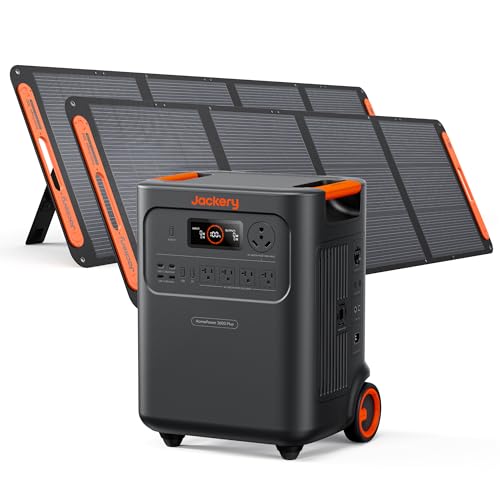
A battery alone runs out. Solar lets you recharge during a multi-day outage. Size your panels by dividing your daily watt-hour need by your local peak sun hours. Most of the US averages roughly 4 to 5 peak sun hours per day, so a 3,000 Wh daily need calls for about 700 to 900 W of panels after accounting for system losses and weather. Cloudy days reduce output, so plan for at least some reserve.
Panel choice matters too. 6 Best Solar Panels for Home Backup Power Picks Compared (2026) compares several options, and Home Backup With a Solar Generator: What It Can Power and How to Connect Safely explains safe connection practices.
Step 5: Plan the Connection and Transfer Method
How you connect the system is as important as how big it is. Options include:
- Dedicated circuits: Wire a small subpanel or select circuits (fridge, lights, outlets for medical equipment) to the backup source. This is the most common approach for whole-home backup systems without full coverage.
- Transfer switch or interlock: A manual transfer switch or breaker interlock keeps the grid and backup from ever feeding the house at the same time. This is required for safety with generators and recommended for any backup source.
- Automatic transfer switch: Detects an outage and switches sources in seconds. Preferred for medical devices.
Never plug a generator or power station into a wall outlet and backfeed the panel. That can injure utility workers and damage equipment. Use a properly installed transfer device.
Step 6: Test and Maintain Your System
Run a load test before you need it. Turn off the main breaker, switch to backup, and confirm that the intended circuits work. Note how long the battery lasts with your real loads. Recheck every few months, especially battery state of charge and firmware updates. Batteries lose capacity slowly over years and degrade faster in extreme heat or cold.
Checklist before an outage
- Confirm battery charge is above 80 percent when a storm is forecast
- Know which circuits are on the backup and which are not
- Have extension cords rated for the load if you use them, and keep them short
- Keep a backup plan for medical devices (notify your utility if you rely on powered medical equipment)
- Store fuel safely if you run a generator, never indoors
Common mistakes
- Sizing only for the average load. Ignoring startup surges leads to tripped inverters at the worst moment.
- Forgetting always-on devices. Routers, modems and standby electronics add up over 24 hours.
- Backfeeding the panel. Using a dryer outlet or a plug-in adapter to push power into the grid is dangerous and often illegal.
- Undersized solar. A large battery with a small panel array may never fully recharge on cloudy days.
- Skipping the test. An untested system often reveals a problem only during the outage itself.
Recommended gear
- EcoFlow Delta Pro Ultra: A large-capacity power station that can be expanded with additional batteries, useful when your essentials list grows beyond a small unit. View on Amazon
- Jackery Explorer 1000 V2: A mid-size portable power station well suited to essentials, medical devices and phone charging for a few days. View on Amazon
- Anker SOLIX C1000: A compact power station that handles lights, a refrigerator and small electronics in a portable form. View on Amazon
FAQ
How many watt-hours do I need for whole-home backup?
Essentials-only coverage often needs 2,500 to 3,500 Wh per day. True whole-home coverage with central air and an electric range can exceed 30 kWh per day, which usually means a permanently installed system or generator.
Can a portable power station run my entire house?
Most portable units cannot run a full house for more than a few hours at normal use. They work best for selected circuits. Expanding capacity with extra batteries or pairing with a dedicated transfer device extends what they can do.
Do I need an electrician to install a whole-home backup power solution?
For any connection to your home’s electrical panel, yes. A licensed electrician should install transfer switches, interlocks and dedicated circuits, and may need a permit. Consult a licensed professional before making any panel modifications.
How long will a backup system last during an outage?
Divide usable battery capacity by your real daily load. A 3,000 Wh usable battery running a 1,000 Wh daily load lasts roughly three days before solar or other recharging is needed.
Is solar necessary for a backup system?
It is not strictly necessary for short outages, but it becomes important for multi-day events. Solar lets you recharge the battery so you are not dependent on a fuel supply or a restored grid.
What is the difference between a transfer switch and an interlock?
A transfer switch moves your house circuits from the grid to the backup source. An interlock kit uses a physical breaker bar so the main breaker and generator breaker cannot be on at the same time. Both prevent backfeeding.
Can I run central air on a backup system?
Possibly, but it requires a large inverter with high surge capacity and substantial battery storage. Central air is often the single largest load in a home, so plan for it separately.
How often should I test my backup system?
Test every few months, check battery charge regularly, and update firmware when available. Replace batteries or service equipment according to the manufacturer’s recommendations.
Conclusion
A whole-home backup power solution starts with a clear list of loads, a daily watt-hour estimate and a realistic view of surge demands. Choose between portable units, a permanent battery system or a generator based on how much of the house you want to keep powered. Add solar if you expect multi-day outages, and connect everything through a proper transfer method. Test the system before storm season, and consult a licensed electrician for any panel work.
Ready to choose one?
About Lauren Holland
Lauren Holland is part of our editorial team and reviews and edits our solar generators for home backup & emergencies guides, checking product details against manufacturer specifications and owner feedback.