By Emily Parker
Updated November 2026
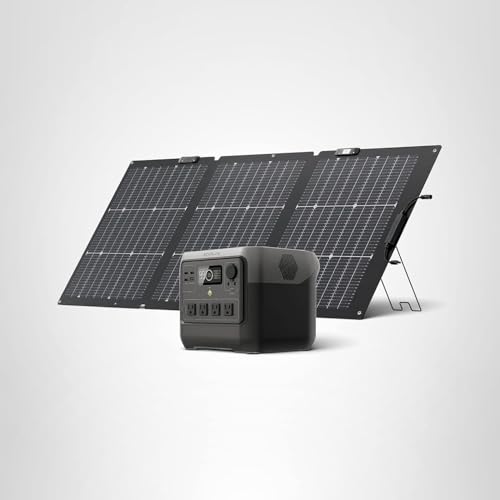
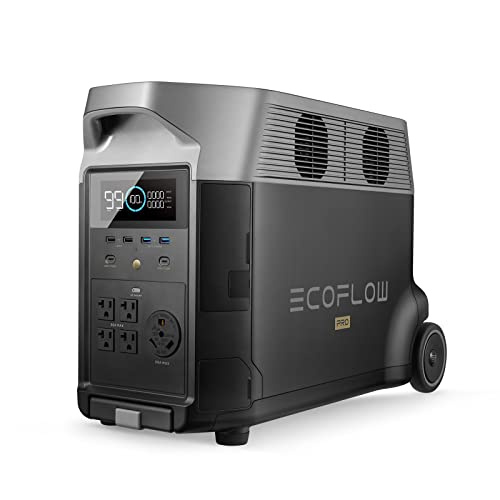
An ecoflow delta 2 solar panel connection lets the power station recharge from sunlight when the grid is down, so your backup load can run for longer. In this guide you will check compatibility, confirm the input limits, wire the panel, and verify that charging has started. The process takes a few minutes, but the details matter for safe, steady charging.
Check Compatibility Before You Connect
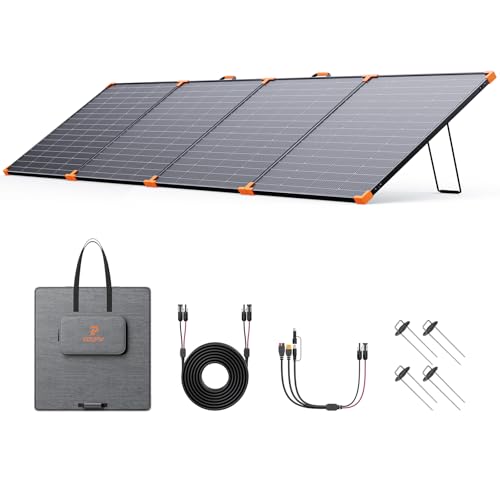
Start with the input specs printed on the power station and the solar panel. The Delta 2 accepts solar input through its dedicated solar port, and manufacturers list a maximum input wattage and a voltage window. Your panel’s open-circuit voltage must stay within that window, and its rated output should not exceed the station’s maximum solar input. Panels that are oversized can still connect, but the station will limit intake and you will gain nothing from the extra capacity.
Shopping for one? See our guide: 6 Best Ecoflow Delta 2 Max Solar Panels for Home Backup (2026).
Check the connector type as well. Many panels use MC4 connectors, so you may need an adapter or cable that matches the Delta 2’s solar input. Look for an official EcoFlow cable or an adapter rated for the same voltage and current. For sizing and input details, see Ecoflow Delta 2 Solar Input: How Much Solar It Accepts and How to Connect It.
Step-by-Step Connection Process
- Turn the Delta 2 off and place the panel in direct sun, facing the correct direction for your location.
- Attach the solar cable to the panel’s output leads, matching positive to positive and negative to negative.
- Connect the other end of the cable to the Delta 2’s solar input port until it seats fully.
- Power on the station and check the app or the display for a solar input reading.
- Confirm that wattage rises as the panel catches more sun. A reading of zero in full sun usually points to a loose connection or a polarity error.
Multiple Panels and Series or Parallel Wiring
If you connect more than one panel, decide between series and parallel wiring before you start. Series wiring raises voltage and works well when the panels’ combined voltage stays inside the station’s input window. Parallel wiring keeps voltage the same and adds current, which suits setups where the combined voltage would be too high. Mixing panels of different wattage or age in one string can reduce output, so matched panels give the most consistent results. Owners often report that parallel branches from a splitter need a cable rated for the added current.
Do not exceed the station’s maximum solar input, even if the panels could physically produce more. Check the total rated wattage against the listed limit before you wire everything together. For a broader look at panel options, see 5 Best Solar Panels for EcoFlow Delta 3 for Home Backup (2026).
Verify Charging and Plan for Real Conditions
Once connected, watch the input readings over the first hour. Output will vary with cloud cover, panel angle, and the time of day, so a figure below the panel’s rating is normal. Angling the panel toward the sun and keeping it clear of shade makes a large difference. Stands and tilt mounts can help, and Ecoflow Solar Panel Stand: How to Set Up and Angle It for Home Backup (2026) covers setup in more detail.
Estimate runtime by dividing your daily load in watt-hours by the average solar energy you expect to collect. Solar input is rarely steady across a day, so treat your estimate as a rough planning figure rather than a guarantee.
Common Mistakes
- Reversing polarity, which can prevent charging or damage cables.
- Using an adapter or cable not rated for the station’s voltage and current.
- Exceeding the maximum solar input by connecting too many panels.
- Leaving panels partly shaded, which cuts output more than most people expect.
- Assuming full rated output every day instead of planning for weather and angle.
Recommended Gear
- Official EcoFlow solar cable helps you match connector type and voltage without guesswork. View on Amazon
- Adjustable solar panel stand lets you tilt the panel toward the sun for better daily intake. View on Amazon
- MC4 extension cable gives you slack to position panels away from the station. View on Amazon
FAQ
Can I connect any solar panel to the EcoFlow Delta 2?
Not any panel will work. Check the panel’s voltage and wattage against the Delta 2’s solar input limits, and confirm you have the correct connector or adapter.
Why does the station show zero solar input in sunlight?
A loose connection, reversed polarity, or a panel that is shaded or facing away from the sun are the most common causes. Recheck each step and make sure the cable is fully seated.
Should I consult a professional before wiring multiple panels?
If you are unsure about series or parallel wiring, or about connecting to a home electrical system, consult a qualified electrician or the manufacturer’s support team.
Conclusion
A correct ecoflow delta 2 solar panel connection starts with checking input limits and connector types, then wiring carefully and confirming that charging begins. Plan for weather and panel angle so your runtime estimates stay realistic. With those steps done, your backup setup is ready to recharge when you need it most.
Ready to choose one?
About Emily Parker
Emily Parker is part of our editorial team and reviews and edits our solar generators for home backup & emergencies guides, checking product details against manufacturer specifications and owner feedback.